Works on iPhone and Android
CFA Level 1 exam app: revise on your phone
Cheat sheets, flashcards, quizzes and mocks for the 2027 Level 1 exam, in your phone's browser. Add it to your home screen and it opens like an app. One full module is free.
How to add it to your home screen · Checked Nov 25, 2026
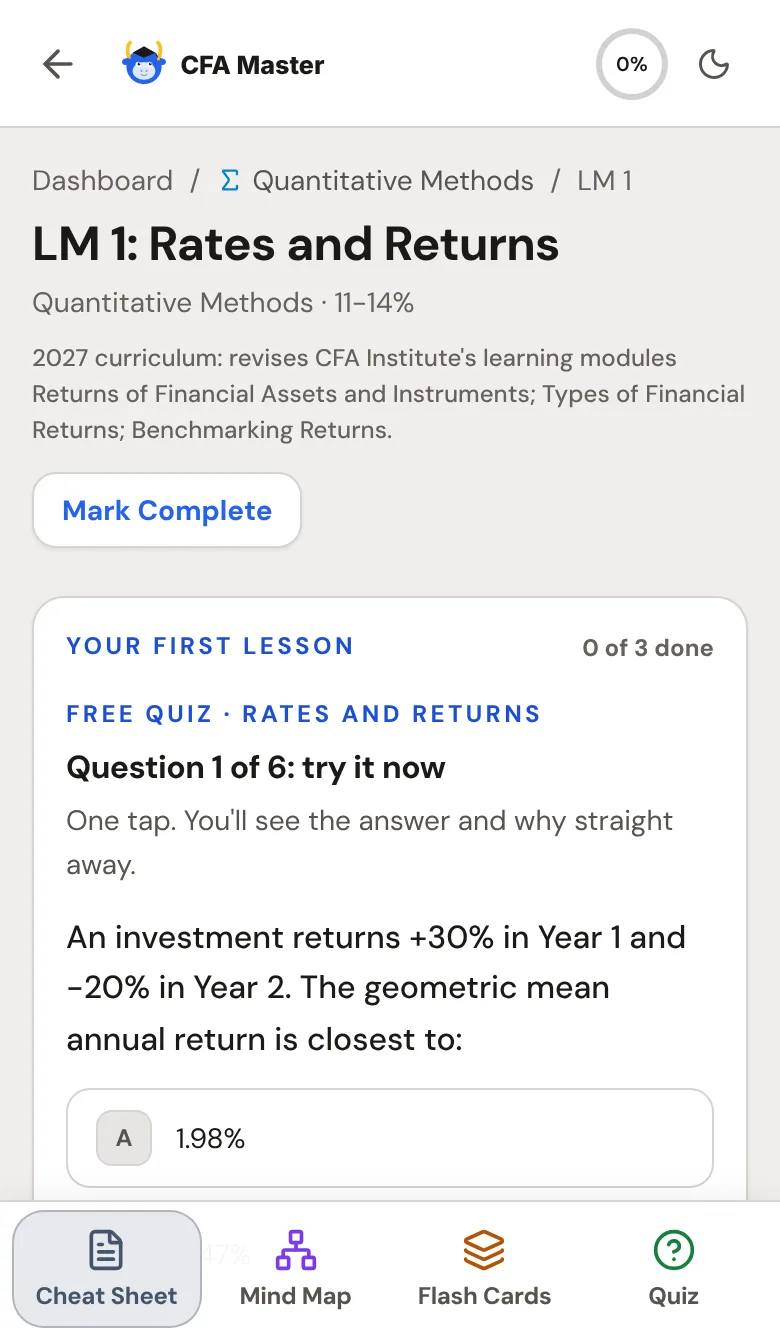
Short answer: CFA Master is a CFA Level 1 revision app that runs in Safari or Chrome and adds to your home screen like an app. It has cheat sheets, mind maps, flashcards, quizzes and mocks, and one full module is free. It isn't in the App Store or Google Play. Use it next to CFA Institute's Learning Ecosystem app, which comes with your exam registration.
What you get on your phone
CFA Master is a revision companion: you study from the curriculum or your prep provider, and revise here. On a phone it works like an app, with a bottom bar for Home, Subjects, Formulas and Exam. Every module has four study modes:
Cheat Sheet
The module's key concepts and formulas on one page you can edit, so your own notes live next to ours.
Mind Map
How the module's ideas connect, one tap per branch. Good for a two-minute recap before a quiz.
Flash Cards
Quick recall, one card at a time. Made for a commute or a queue.
Quiz
Exam-style questions with explanations. Every wrong answer goes into your mistake log to retry later.
How to add CFA Master to your home screen
Open the free module on your phone first, then:
iPhone (Safari)
- Open cfa-master.com/dashboard in Safari on your iPhone.
- Tap the Share button, the square with an arrow.
- Scroll down, tap Add to Home Screen, then tap Add. CFA Master opens full screen from its own icon.
Android (Chrome)
- Open cfa-master.com/dashboard in Chrome on your phone.
- Tap the three-dot menu at the top right.
- Tap Add to Home screen (on some phones it says Install app) and confirm. The icon appears with your other apps.
It isn't in the App Store or Google Play, and it needs an internet connection. Your progress, quiz scores and cheat-sheet edits are saved to your account, so the same study is on your laptop.
CFA exam apps compared (Level 1, 2027)
| App | How you get it | Cost | What it does on a phone |
|---|---|---|---|
| CFA Institute Learning Ecosystem | App for registered candidates | Included with exam registration | Curriculum, 1,000+ practice questions, 2 official mocks, flashcards, study planner |
| UWorld Finance app | iOS and Android, with any UWorld CFA product | Study guides US$299, courses from US$399 | QBank, study guides, video in higher packages; syncs with the website |
| Kaplan Schweser app | iOS and Android; content comes with a Schweser package | Courses from US$429 | QBank, flashcards, SchweserNotes modules, offline videos |
| CFA Master | Web app in your browser, added to your home screen | One module free in full | Cheat sheets, mind maps, flashcards, module quizzes, question bank, mocks, formula sheet |
From each provider's own page, checked Nov 25, 2026 (Schweser price 18 November 2026). Every package: CFA Level 1 prep courses compared. UWorld in detail: is UWorld worth it.
Which CFA app should you use?
- 1.
Everyone: Install CFA Institute's Learning Ecosystem app. It is already paid for with your registration, and its questions and mocks come from the exam's own authors.
- 2.
If you bought UWorld or Schweser: Use that provider's app for its question bank on the go. Don't buy a course only for the app.
- 3.
For revision in spare minutes: Use a revision app: one short page per reading, a deck of flashcards and a 10-question quiz you can finish on a commute.
UWorld, Kaplan Schweser and SchweserNotes are trademarks of their owners. CFA Master is not affiliated with them or with CFA Institute.